


TomTom

1. Unpack the file you have downloaded from POIplaza.

2. Convert the downloaded .asc file into .dat with POIEdit available at http://www.poiedit.com/index.htm.

3. Copy the selected files (.bmp and converted.ov2 extensions) to the relevant map folder.

4. Launch the TomTom application and select the "Change preferences", followed by "Enable/disable POIs" and select the desired categories.
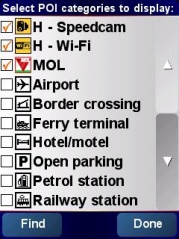
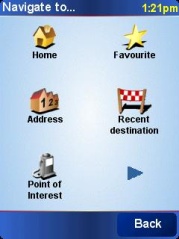
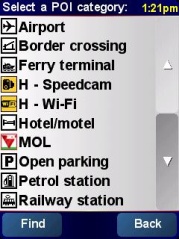
5. Select the required POI category.


6. Uncheck the "Warn only if POI is on route" box, otherwise POI will not be visible when approaching.


Note: The POI may be displayed as an inaccessible location if the map you are using is not sufficiently detailed.


facebook twitter rss
User:   Passw.:

New POI collections

Update - Hungary
Fine Restaurant (116)
Update - Hungary
National Tobacco Shop (91)
Update - Hungary
Party District (27)
New - Serbia
Deichmann (13)
Update - Romania
Public Toilet (4)
Update - Romania
Skoda Dealer & Service (9)
Update - Austria
Fix Speedcam (1175)
New - Croatia
Deichmann (29)
Update - Hungary
Mlinar (2)
Update - Hungary
Decathlon (12)
New - Bosnia and Herzegovina
Deichmann (7)
Update - United States of America
MouseSavers Theme Park (280)
New - France
Halles Dis (4)
New - Australia
Sam's Warehouse (90)
New - Germany
BSW Partner (Multimedia) (366)