

Destinator

1. Unpack the file you have downloaded from POIplaza.

2. Convert the downloaded .asc file into .dat with POIEdit available at http://www.poiedit.com/index.htm.

3. Select and copy the files (.bmp and converted .dat extensions) to the \DestinatorApps\Destinator\UserData\Favourites folder.

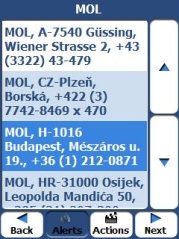
4. Launch the Destinator program and select Favourites from the Destinations menu.
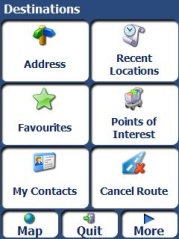


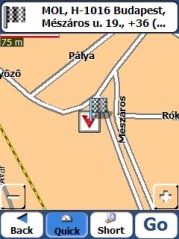
Note: The POI may be displayed as an inaccessible location if the map you are using is not sufficiently detailed.


facebook twitter rss
User:   Passw.:

New POI collections

Update - Austria
Fix Speedcam (1174)
Update - Luxembourg
Fix Speedcam (23)
New - Hungary
New Garden (6)
New - France
Table Football (Baby Foot) (128)
Update - United Kingdom
Fix Speedcam (4376)
New - Austria
Fiat Dealer & Service (155)
Update - Germany
Expert (67)
Update - Czech Republic
Naturist Beach (Nudaplaze) (123)
Update - Slovakia
Naturist Beach (13)
Update - Poland
Travel Agency (203)
Update - Poland
Neckermann (39)
Update - Hungary
Mobile Speedcams (913)
New - Switzerland
Travel Agency (2)
Update - Hungary
Border Crossing (73)
New - Czech Republic
Travel Agency (1)