


Navigon

1 Download and install the POI-Warner application available here: http://www.navigating.de/cms/index.php?id=636.

2 Unpack and copy the downloaded POI files (.bmp and .asc extensions) to the \POIWarner\pois folder.

3 Launch the POI-Warner program. Select the POI-Manager > POI-Settings > Overlay Settings menu items to activate the desired POIs.
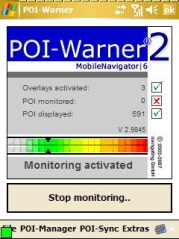
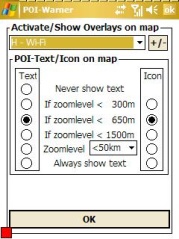
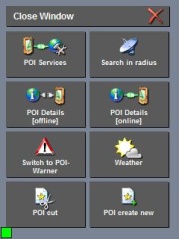
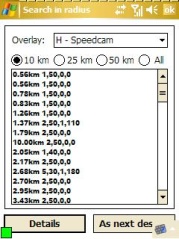
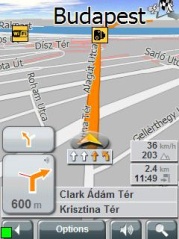

4 Launch the Navigon application. Click on the green square to select the "Search in radius" menu item.


5 Select it "As next destination".


6 Launch navigation.


Note: The POI may be displayed as an inaccessible location if the map you are using is not sufficiently detailed.

facebook twitter rss
User:   Passw.:

New POI collections

Update - Hungary
National Tobacco Shop (24)
Update - Hungary
Eating Out (4853)
Update - Hungary
Accommodation (3774)
Update - Hungary
Wellness (520)
Update - Hungary
Special Offer (144)
Update - Hungary
Free Time (714)
Update - Hungary
Sight - Monument (2152)
Update - Hungary
Sight - Museum (1619)
Update - Hungary
Free Time - Hunting (195)
Update - Hungary
Free Time - Horse Riding (436)
Update - Hungary
Event (1126)
Update - Hungary
Sight - Nature (797)
Update - Hungary
Free Time - Water sport (132)
Update - Hungary
Free Time - Fishing (409)
Update - Hungary
Sight - Church (1835)